My Resume Road Trip
Phones. Tiles. Data. A third arm. Then my own company.
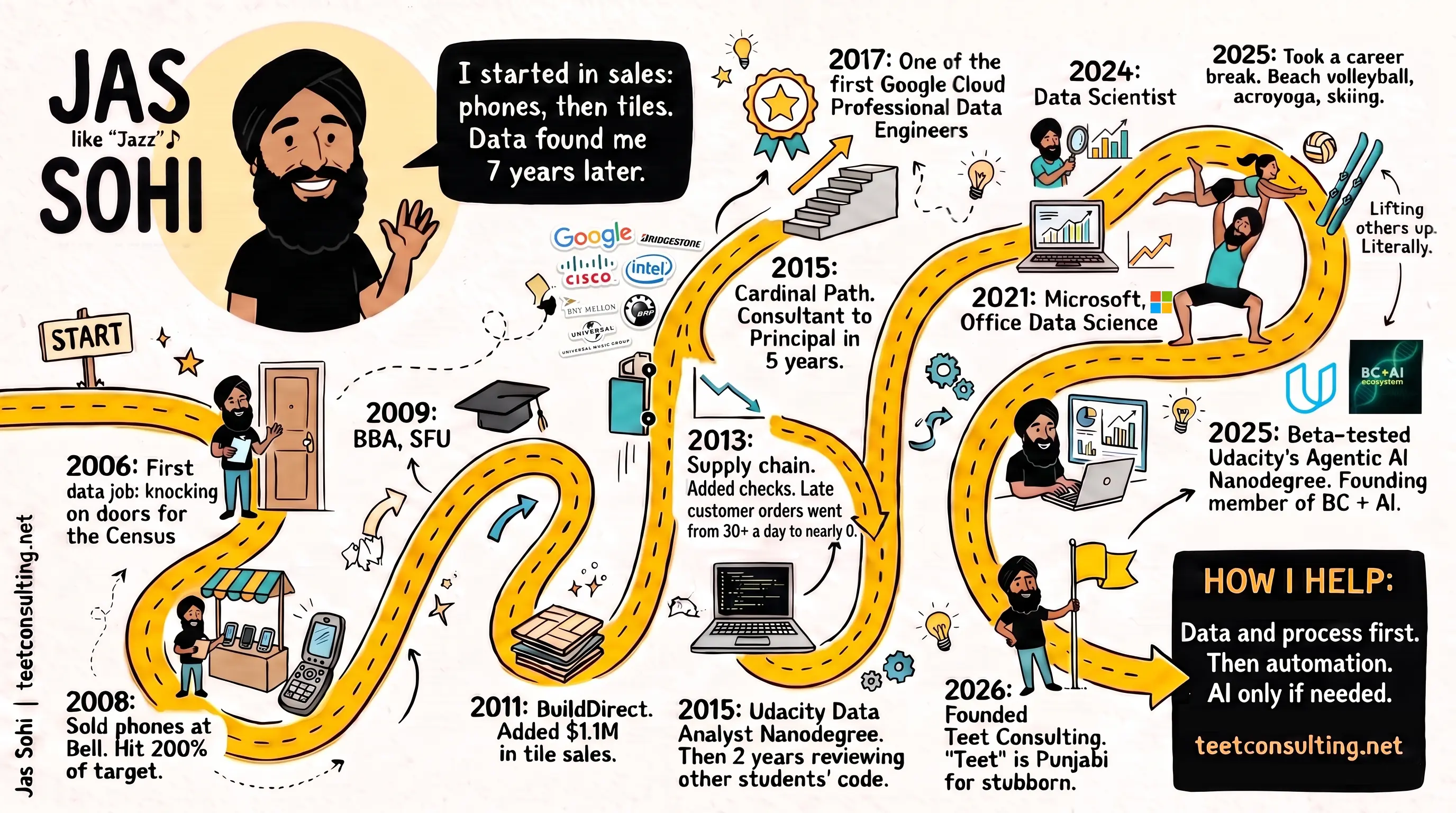
That's my Resume Road Trip: my career as a hand-drawn sketchnote.
Claude Code wrote it and Google Gemini drew it.
Where the idea came from
The idea is Priyanka Vergadia's.
She opened the free Maven lesson "Securing AI Agents: The 1Password Playbook", run with Mariane Bekker from 1Password, with a hand-drawn map of her own career.
The lesson was about keeping AI agents away from your passwords and API keys.
I left wanting a cartoon of my career.
Lesson: https://maven.com/p/da6eb7/securing-ai-agents-the-1password-playbook
What you need
- A Claude Code plan. I used Pro.
- A Gemini API key from Google AI Studio (aistudio.google.com/apikey).
- A photo of just you.
- Optional: Apify to pull your LinkedIn profile. Pasting your profile in works too.
- Cost: about $1.47 in Gemini images for 11 drafts, plus $0.004 for the LinkedIn pull. Claude ran on the Pro plan I already pay for.
How I made it
1. Gather the facts.
Claude pulled my LinkedIn profile, my resume and my website.
The best numbers were buried in old job descriptions.
2. Write one caption per milestone.
I ended up with 13, plus a speech bubble and a "How I help" box.
Each caption says what its number measures: "Late customer orders went from 30+ a day to nearly 0."
3. Crop the photo to just you.
My best selfie had two friends in it.
They stayed off Google's servers.
4. Keep the API key out of the chat.
Fitting, given the lesson.
I saved the key to a file with a hidden prompt, so it never showed on screen or in my shell history:
mkdir -p ~/.secrets && read -rs "K?Paste Gemini key: " && (umask 077 && printf '%s' "$K" > ~/.secrets/gemini_api_key) && unset KThat's for zsh, the Mac default. In bash, use read -rsp "Paste Gemini key: " K for the middle part.
5. Draw it.
Gemini's Nano Banana Pro model (gemini-3-pro-image), 16:9, 2K.
I asked for two drafts.
6. Check every word.
Image models still misspell.
My first draft said "30+ a dearly 0", printed two milestones twice and skipped one.
7. Fix small, not big.
Asking Gemini to redraw the whole poster made it worse: "Bridgestone" turned into "JNUDGEMONS".
What worked was sending only the broken corner back, then pasting it in.
8. Give it the real logos.
I made one sheet from the actual logo files on my website.
Gemini copies far better than it remembers.
And the arms.
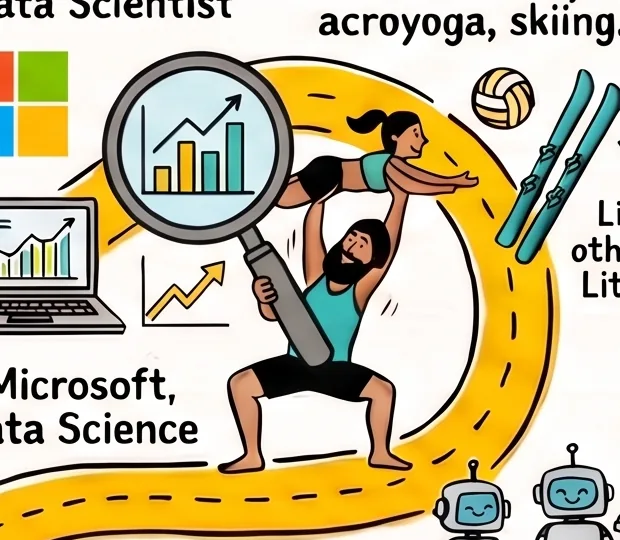
In one version I'm lifting a friend overhead in acroyoga while holding a magnifying glass.
The prompt now says "Every figure has exactly two arms."
The prompt
A shorter version of mine. Swap in your own milestones.
The first image is a photo of the person to draw. The second image is a sheet of real logos. Only use a logo where a milestone asks for it.

Create a 16:9 hand-drawn sketchnote poster of one person's career: thick black marker lines, hand-lettered text, off-white paper, black, yellow and teal marker colours. A winding yellow road starts at a "START" sign on the left, passes every milestone, and ends at a "HOW I HELP" box in the bottom right.

Draw a cheerful cartoon of the person in the photo, large in the top left, waving. Draw small versions of them acting out the milestones. Every figure has exactly two arms.

Milestones, in this order. Render every caption exactly as written:
1. "YEAR: caption" (doodle)
2. "YEAR: caption" (doodle)

Rules: spell every word exactly. Each caption appears once. No other logos, text or watermark.
What I'd do differently
I had 10% of my 5-hour Claude limit left, minutes before it reset.
So I switched on Ultracode with Opus 5.5 to squeeze out every drop.
It used the 10%, then ate 18% of the next window.
Ultracode with Opus 5.5 was probably overkill for a cartoon.
Your turn
I fixed the arms.
Spot anything else off? Tell me on LinkedIn.
I build workflows like this for small teams: data and process first, then automation, AI only if needed.
teetconsulting.net